Blog
What belongs on a commercial fleet graphics rollout checklist
Plan a commercial fleet graphics rollout with a practical checklist for vehicles, artwork, site readiness, scheduling, quality checks, photos, and records.
Blog
Plan a commercial fleet graphics rollout with a practical checklist for vehicles, artwork, site readiness, scheduling, quality checks, photos, and records.
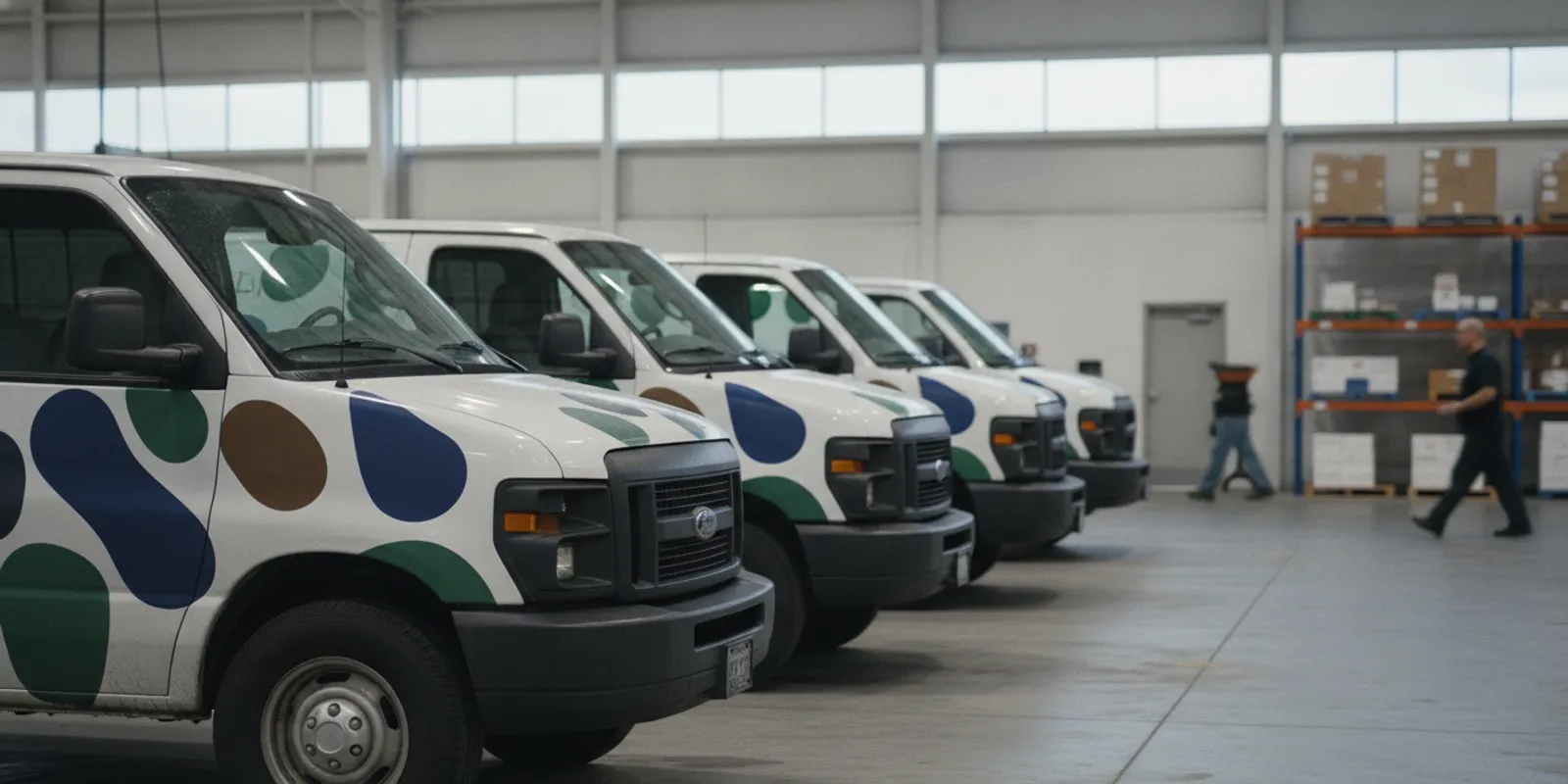
A useful fleet graphics rollout checklist starts with the vehicles, not the print schedule. Confirm which units are included, what condition they are in, which artwork belongs on each one, and when each vehicle can be released for installation. Then set shared standards for site readiness, inspection, photos, and records so teams can track the work from the first vehicle to the last. This approach helps businesses coordinate installation without treating every vehicle as an isolated job.
Discuss your fleet graphics installation
Start with a written scope that defines what the rollout includes and what counts as complete. A fleet may have one vehicle type and one location, or several body styles, regions, and installation windows. The checklist should make those differences visible before artwork is assigned or dates are promised.
For examples of vehicle applications and completed graphics work, review the AP Installations project gallery. Use the scope to distinguish an actual change from a simple scheduling update. That distinction can prevent an unapproved design variation from being repeated across a fleet.
A vehicle list is only useful if it reflects what the installation team will encounter. A spreadsheet or shared project register gives the customer, print partner, and installer a common record. Assign one row to each vehicle and use a unique identifier that can also appear on schedules, photos, and closeout records.
| Checklist field | What to record | Why it matters |
|---|---|---|
| Asset identity | Unit number, fleet ID, vehicle type, model year, and location | Connects the right artwork, appointment, and inspection record to each vehicle |
| Body configuration | Relevant dimensions, trim, doors, windows, mirrors, handles, and equipment | Shows where graphic panels may need to align or stop around features |
| Surface condition | Paint or finish concerns, repairs, corrosion, dents, prior graphics, and unusual substrates | Flags conditions for review before installation is scheduled |
| Availability | Operating shifts, service appointments, dispatch needs, and approved release window | Helps coordinate realistic vehicle handoff and return times |
| Artwork assignment | Approved design version, color or variant, and any vehicle-specific exception | Reduces mix-ups between similar units or regional versions |
| Completion record | Inspection status, issue notes, photos, and sign-off date | Creates a traceable closeout record for the fleet manager |
Before the first appointment, ask the fleet contact to confirm that the list matches the current fleet. Record new vehicles separately rather than silently substituting them. Even vehicles that look alike may have different body details, accessories, or surface history, so note exceptions and provide current reference photos when possible.
Surface condition deserves particular attention. Document damaged paint, recent refinishing, residue, old adhesive, or repairs and ask for review when a condition may affect installation suitability. Do not assume that a graphic can be applied over every surface in the same way. The correct next step may be additional assessment, surface preparation, a scope adjustment, or a decision to defer that unit.
Artwork approval should account for the actual vehicle, not only a flat design proof. Collect the correct vehicle information and confirm how the approved layout relates to body panels, door gaps, windows, handles, fuel or charging access, safety markings, and equipment. These details help the production and installation teams understand what is expected on each unit.
Do not rely on informal email attachments as the only source of truth. Keep the approved print files, proofs, vehicle assignment list, and revision notes together, and make the current version easy to identify. If changes are made after approval, update the records and notify the people responsible for production, scheduling, and installation.
Review the intended application with a qualified installation partner before artwork is finalized if the fleet includes unusual vehicle shapes or extensive vehicle-specific variations. AP Installations describes its fleet graphics for service vans and broader vinyl graphics installation solutions online. A project conversation can help clarify the installation scope, while final design decisions remain with the customer and its design or print team.
Scheduling is a coordination problem as much as a calendar exercise. A vehicle has to be available, the installation location has to be ready, and the approved graphics must be on hand. Build the plan around the fleet’s operating needs and the confirmed scope rather than assuming that a large batch can be handled in one uninterrupted block.
For fleets considering a transition to electric vehicles alongside graphics work, the U.S. Department of Energy’s Alternative Fuels Data Center provides a fleet electric vehicle implementation checklist covering fleet readiness and charging infrastructure. Keep that type of vehicle-infrastructure planning distinct from the graphics installation schedule, but coordinate the two when vehicle changes could affect asset lists or design assignments.
Multi-location work needs an additional layer of coordination. Create a location sheet for each site with its address, operating contact, access rules, available staging area, and local schedule. For nationwide projects, see AP Installations’ information on installation for brands, agencies, and print shops and its large-format installation capabilities. Confirm project-specific coverage and logistics with the provider rather than assuming every site has identical requirements.
Before the installation date, verify that the work area and vehicle handoff plan match the job. Provide practical site information in writing, especially when a fleet operates from multiple depots or customer facilities. A site contact should know when the crew is expected and how to resolve access questions.
Use a readiness check shortly before each work window. If a vehicle has been repainted, damaged, or altered since the register was created, update its record and request review. A late change may affect whether the unit is ready, what work is included, or when it should be handled. Clear communication is more useful than pressing ahead with incomplete information.
Even a well-prepared rollout can surface a vehicle that is unavailable, a mismatch in artwork, or a site condition that was not in the original plan. Keep one decision log so the issue does not disappear in a message thread or get resolved differently at each location. The log can be a small section in the master tracker, provided each entry is tied to a vehicle or site.
Separate an open question from an approved change. For example, a vehicle arriving with an unexpected accessory may need a design or installation review, but it should not automatically trigger an altered layout. Wait for the designated project owner to confirm the next step. At closeout, review unresolved entries and assign a follow-up owner and date so deferred work remains visible after the main installation window.
Quality checks should be consistent from vehicle to vehicle. Use the same practical inspection points for each unit, while allowing the reviewer to note vehicle-specific details. The purpose is to confirm that the installed graphics match the approved scope and identify concerns while the project team can still respond.
Agree on what triggers a hold or escalation before the rollout begins. For example, an incorrect design version, an unexpected surface condition, or a mismatch between the vehicle and the approved layout should be reported to the named project contact. Document the decision and the approved next step. Do not treat the checklist as a substitute for technical judgment about a particular film, surface, or installation condition.
AP Installations’ overview of graphics installation provides more information about installation services. When evaluating an installer, discuss the project requirements, materials, application, and any applicable warranty terms directly. Warranty eligibility is not automatic, and the checklist should record the specific written terms that apply rather than imply a blanket guarantee.
Photos and records help a team understand what was installed and close out a multi-vehicle job. Set a consistent method before the first vehicle arrives. Keep images attached to the vehicle’s unique ID and store them with the approved layout, inspection notes, and sign-off information.
For warranty records, keep the exact product, production, installation, and eligibility documentation supplied for the project. Do not infer coverage from the presence of a particular brand or installer credential. The project owner should retain the written warranty terms and confirm what conditions, materials, and documentation are required for that specific application.
A master checklist keeps project tasks visible without forcing every vehicle into the same status. Give each item an owner, due date, and clear status such as not started, in review, ready, complete, or on hold. Add a short note for exceptions and link to the relevant record rather than relying on memory or a long email chain.
| Project stage | Confirm before moving forward | Record at closeout |
|---|---|---|
| Scope | Included vehicles, locations, graphic types, exclusions, and decision-makers | Approved scope and any signed-off changes |
| Vehicle review | Unit identity, configuration, surface notes, and availability | Final vehicle register and deferred-unit list |
| Artwork | Current approved version, vehicle assignment, and exceptions | Final file reference and approval record |
| Scheduling | Work window, site contact, access, staging, and handoff plan | Actual completion date and schedule deviations |
| Inspection | Shared review points and escalation contact | Acceptance status, issue details, and follow-up owner |
| Documentation | Photo method and required records | Photos, project notes, sign-off, and applicable written terms |
At the end of the rollout, reconcile the checklist against the original scope. Confirm which vehicles are complete, which were deferred, what issues remain open, and who owns each follow-up. Share a concise closeout summary with the fleet, operations, design, and installation contacts who need it. That final review provides a clear handoff and makes the records easier to use later.
Request a fleet graphics project consultation
Include the vehicle and location register, vehicle condition notes, assigned artwork version, installation dates, site access instructions, inspection criteria, photo requirements, and project records. Assign an owner to each task and record exceptions against the relevant vehicle.
Review vehicle details before artwork and scheduling are finalized, then ask the fleet contact to report changes before installation. If a vehicle is damaged, repainted, repaired, or otherwise altered after the initial review, document the change and request an updated assessment.
Not necessarily. Consider service coverage, vehicle availability, location capacity, body type, artwork variation, and the ability to review early work. Staggering a rollout may be more practical when the fleet cannot release many units at once or when locations have different access requirements.
Keep the final scope, approved artwork references, vehicle assignments, completion dates, inspection results, issue notes, relevant photos, sign-offs, and any project-specific written warranty terms. Store the records so they can be found by vehicle ID and project.
A well-maintained fleet graphics rollout checklist gives every participant a shared view of the work and makes exceptions easier to manage. Confirm the asset list, keep approvals current, and close out each vehicle with clear inspection and documentation.