Blog
How Should Companies Plan Fleet Graphics for Box Trucks?
Plan fleet graphics for box trucks around panel layout, doors, seams, visibility, loading, and repeatable fleet standards before production.
Blog
Plan fleet graphics for box trucks around panel layout, doors, seams, visibility, loading, and repeatable fleet standards before production.
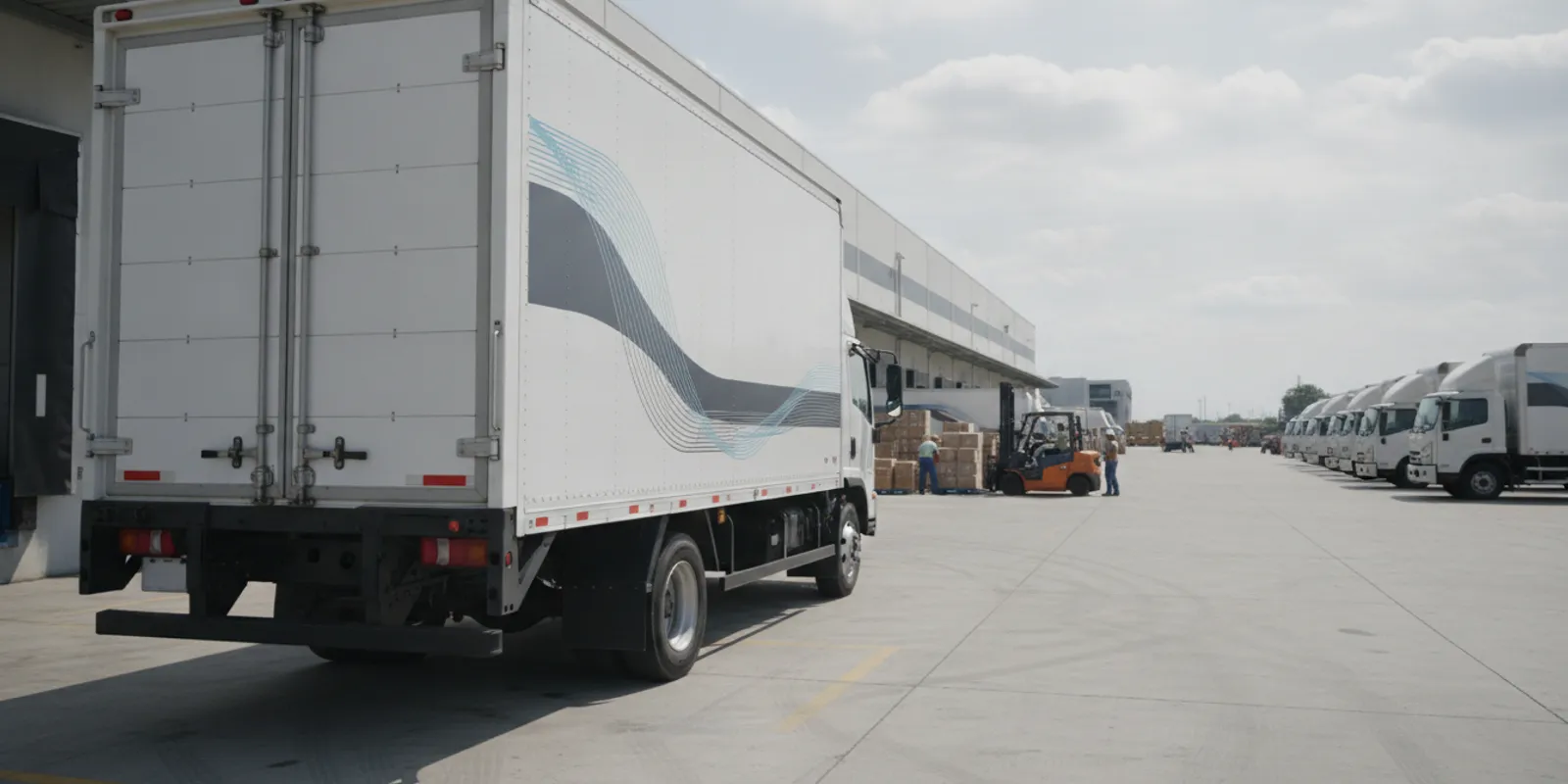
Planning fleet graphics for box trucks starts with the vehicle, not just the artwork. Measure and document each truck, map usable panels around doors and hardware, and account for loading routines before approving a layout. That approach helps a business create a consistent brand presence while reducing avoidable design changes and installation conflicts.
Discuss your box truck graphics project
A box truck offers broad, relatively flat side panels, but the vehicle is not a blank rectangle. Rear doors move. Handles, hinges, latches, lights, reflectors, liftgates, rub rails, and access panels occupy useful areas. The cargo body may also differ from one truck to the next, even within the same fleet.
Before anyone finalizes artwork, make a vehicle record for each truck or clearly defined vehicle group. Record the make, model, body type, approximate body dimensions, door configuration, and any modifications. Photograph both sides, the rear, and the cab from square-on angles. Add close-ups of hardware, body seams, damage, repairs, and any existing graphics that will remain.
Also document how the truck works. Does it back up to a dock, deliver along city streets, use a liftgate, or open its rear doors frequently? Does staff load from the side? Are graphics likely to be covered by carts, straps, or equipment during normal operations? These details help the design and installation teams distinguish prominent brand areas from surfaces that are routinely blocked, rubbed, or opened.
When a fleet includes several body styles, do not assume one template will fit all of them. A layout can share a visual system across vehicles while adapting to different dimensions and hardware. Treat vehicle-specific fit as part of the plan, not as a last-minute production adjustment.
Divide the truck into practical zones and review each one as a separate surface. The long side panels often provide the largest uninterrupted areas for a logo, service description, or campaign message. The rear can be highly visible in traffic and at delivery locations, but its moving doors, central opening, hinges, and latches change how artwork should be arranged.
Make a simple annotated photo or elevation for every vehicle style. Mark the edges of doors, hardware, lights, reflectors, seams, steps, rails, and other obstructions. Identify areas that should stay clear, then define the usable panel area around them. This record is more useful than a single overall body measurement because it connects dimensions to actual installation conditions.
| Truck area | Planning opportunity | Checks before artwork approval |
|---|---|---|
| Driver-side and passenger-side box panels. | Large space for primary identity and supporting information. | Panel dimensions, body seams, repairs, surface condition, and anything that blocks the view during normal use. |
| Rear doors. | Brand presence at loading sites and behind the vehicle. | Door split, hinges, handles, latches, opening direction, lights, reflectors, and movement at the center gap. |
| Lower body and rub-rail area. | Can connect a layout visually across the side. | Rails, steps, impact exposure, dirt, abrasion, and the height of loading equipment. |
| Cab and cab-to-box transition. | Can make a truck feel like one coordinated fleet vehicle. | Different materials and contours, doors, windows, mirrors, handles, and the boundary between cab and cargo box. |
| Liftgate or other equipment. | May provide an additional graphic surface when suitable. | Moving joints, operating clearances, safety markings, wear, and whether the graphic interferes with use or inspection. |
This comparison is a planning aid, not a substitute for measuring the actual vehicle. A panel that looks flat in a photograph may have a seam, contour, coating, or repair that affects layout and installation. Include both overview photographs and detail shots in the project handoff.
During a site survey, capture measurements from fixed reference points, such as the front edge of the box, the bottom rail, and the rear door frame. Record where each measurement begins and ends, and label the photos so another person can interpret them later. Note whether doors, handles, or accessories were open, closed, or removed when a measurement was taken. If trucks are parked at different locations, collect the same views and details for each vehicle group. Consistent records make it easier to compare layouts and identify the one truck that does not match the rest.
Do not treat the outside dimensions of the cargo body as the available graphic dimensions. Subtract areas that must remain clear and account for the physical edge of each panel. The final usable space may be smaller than the broad side view suggests, particularly around lower rails, door frames, and attached equipment. Have the person responsible for the vehicle confirm that the documented configuration is current before artwork is approved.
Rear doors need special attention because they open and close repeatedly. A graphic that crosses the center gap may appear continuous when the doors are shut, but the two sides move independently. Artwork that places a face, word, or important detail directly across a split can look misaligned when the doors are open or the truck is viewed at an angle.
Keep critical content within a single door wherever the layout allows. If a design intentionally spans both doors, show the center split on the proof and review the closed-door alignment at full scale. Leave practical clearance around hinges, handles, locks, latches, and hardware. Do not put essential information where a handle or strap repeatedly covers it.
Ask the vehicle owner to confirm how the doors operate and whether equipment, seals, or door retainers change the available area. Consider the open-door position as well as the closed position. A layout should be evaluated as part of the truck's operating cycle, not only as a flat drawing.
Rear visibility also depends on what the vehicle carries and how it is positioned. Keep essential brand elements from being placed where cargo, a liftgate, or loading equipment regularly hides them. Preserve required vehicle markings and operating information, and have the fleet owner confirm any applicable requirements before artwork is released. Graphic planning should not create a conflict with lighting, reflectors, labels, or safe vehicle operation.
Box bodies are built from panels and components, so seams and transitions deserve explicit review. A seam can interrupt a wordmark, split an image, or create a narrow area that is difficult to finish neatly. Hardware can prevent a graphic from lying flat or make a critical part of the design inaccessible during installation.
Use the truck photos and measurements to decide where artwork can cross a seam and where it should stop. Keep small type and precise alignment away from disruptive transitions when possible. If a graphic must cross a body joint, identify it on the proof so that the installer can assess the layout and the production team can account for the fit.
Inspect the substrate before scheduling installation. Note peeling paint, corrosion, dents, loose components, old adhesive, body repairs, and areas with unusual coatings. A clean-looking truck is not automatically ready for graphics. Surface condition and the specific material system matter, so flag uncertain areas for review rather than assuming that every panel will accept the same treatment.
Confirm which surfaces are included: painted cargo body, cab, liftgate, or another component. Different materials or conditions may call for separate decisions. If the truck has recently been repaired or repainted, identify that work and confirm readiness with the relevant manufacturer or project team before installation.
A box truck can be seen from the side, from behind, at a loading dock, or while parked in a crowded service area. The viewing distance and angle change. Plan a clear information hierarchy so that the primary identity is easy to find and secondary details do not compete with it.
Start by deciding what the truck needs to communicate. It may need to identify the organization, show a service category, or direct an interested person to a simple next step. Choose only the information that matters for that purpose. A large panel can tempt teams to fill every available inch, but extra copy can make the main message harder to understand.
When reviewing proofs, compare the artwork to a labeled image of the truck instead of evaluating a graphic in isolation. Check that the logo, message, and any contact information stay within the usable area at the intended scale. Look at the proof from a distance and at a normal viewing angle, then zoom in to inspect how the layout meets panel edges and hardware. Ask the fleet contact to verify that the graphic will remain visible when typical equipment is attached or doors are open. This review catches functional conflicts that can be missed in a clean digital mockup.
For fleet vehicles, visual consistency matters, but consistency does not require identical placement on dissimilar bodies. Agree on which elements are fixed, such as the logo treatment and general hierarchy, and which can adapt to panel dimensions. That gives the team a recognizable system without forcing a poor fit. Teams comparing coverage approaches can review this guide to fleet graphics versus fleet wraps before selecting a direction.
Installation planning should account for where the truck can be parked, when it can be taken out of service, and how the crew can safely reach the panels. Confirm the work location, available access, vehicle availability, site rules, and the contact person responsible for coordinating the trucks. For a multi-vehicle project, establish how each truck will be identified and released for work.
Ask operations staff about loading schedules, dock assignments, route commitments, and times when vehicles are likely to be clean and accessible. Schedule around real operating constraints rather than assuming every truck will be available at the same time. If trucks are brought to one site, check that the area can accommodate the vehicles and installation work. If work is spread across locations, document the conditions and coordination needs for each site.
Discuss what happens to the truck during a normal shift. If staff repeatedly open rear doors, lower a liftgate, or move equipment against a panel, those patterns can affect which areas are practical for a message or image. The operations team can identify recurring contact points and surfaces that become hidden during loading. Use that knowledge to place the most important content where it is not routinely obstructed, and to flag high-contact areas for the installer to assess.
Plan vehicle preparation as part of the schedule. Agree who will ensure the truck is accessible and ready for the planned work, and ask the installation team what preparation is needed for the selected material and surface. Do not assume that a vehicle can be pulled directly from a route and worked on without review. A prepared schedule gives the crew a better chance to focus on fit and finish rather than resolving avoidable access or condition questions on arrival.
Before installation day, agree on who will move vehicles, who can approve a placement decision, and how an unexpected condition will be handled. For example, the crew may find a repair or an obstruction that was not visible in the initial photos. A named decision-maker and a clear escalation route prevent assumptions from becoming unapproved changes.
Vehicle graphics are only one part of fleet operations. A vendor truck safety report from MIT discusses measures such as fleet management software, GPS, and backup cameras as tools used to improve safety and monitor driver performance. Those operational controls address a different need than graphic layout, but they are a useful reminder to keep branding decisions coordinated with the fleet's broader operating and safety practices. Read the MIT vendor truck safety report.
For a growing or varied fleet, create a concise standard that can be reused without losing vehicle-specific accuracy. Keep the approved logo files, color references, layout rules, message hierarchy, and placement intent together. Include a separate measured template or annotated photo for each truck body configuration.
Label each vehicle clearly in the artwork and production handoff. A unit number, vehicle identifier, or other agreed label helps the project team match the correct proof to the correct truck. Before approving production, compare the design against the truck record and confirm that every intended vehicle is represented.
Use a simple approval sequence:
A documented standard makes later additions easier to plan. It also helps different stakeholders review the same information: brand teams can assess consistency, fleet staff can verify fit and availability, and the installer can flag site or surface questions before work begins. For another example of planning repeatable graphics across commercial vehicles, see AP Installations' guide to fleet graphics for service vans.
A useful quote request gives the installation team enough context to assess scope and identify open questions. Gather the information below before contacting an installer. If some details are not yet available, say so rather than filling gaps with assumptions.
For an installation-only project, make clear who is supplying the printed graphics and who is responsible for design approval. AP Installations focuses on vinyl graphics installation and works with print and design partners; its graphics solutions page describes its installation services. Businesses with a defined scope can also request a project quote or contact the team to discuss the next step.
Before production begins, confirm the approved scope in writing. Record which trucks and surfaces are included, what artwork version was approved, and which areas are intentionally left clear. Identify any vehicle-specific exceptions so a production or installation team does not apply a standard layout to a truck that differs from the documented configuration.
Agree on how the completed work will be reviewed and recorded. Identify the person authorized to accept the installation, how any agreed variation will be noted, and where final photos and vehicle records will be kept. If the organization has material, maintenance, or documentation requirements, raise them during planning and confirm which details apply to the selected project system. Clear expectations prevent the final review from becoming the first time stakeholders compare the installed work with the approved scope.
Keep approved artwork, vehicle identifiers, material and production information, installation notes, and completion records together when they are relevant to the project. Clear documentation helps teams understand what was installed on each truck and makes later maintenance, replacement, or expansion easier to coordinate.
Explore commercial graphics installation services
Use a consistent visual system, but adapt the layout to the actual body style and usable panel area. Different door configurations, hardware, seams, or equipment can make an identical placement impractical. Approve vehicle-specific proofs against measured photos or templates.
Photograph both sides and the rear straight on, then add close-ups of seams, handles, hinges, lights, rails, liftgates, existing graphics, and any damaged or repaired areas. Include enough context to identify each vehicle and distinguish one body configuration from another.
It can, but the design should account for the opening between the doors and their separate movement. Keep critical details on one door where practical, and review any spanning artwork with the split and hardware shown clearly on the proof.
Schedule after the vehicle list, artwork, surfaces, site access, and operating constraints have been reviewed. Coordinate with fleet or operations staff so trucks can be made available, safely accessed, and released without relying on an unconfirmed gap in the delivery schedule.
Share the number and types of trucks, photos and measurements, intended coverage, artwork status, surface history, installation location, timing constraints, and the project decision-maker. Note uncertainties such as recent paint work or unusual body materials so they can be reviewed before installation.
Thoughtful planning gives a box truck graphics project a better starting point: a layout shaped around the actual vehicle, a schedule that respects daily operations, and a repeatable standard for future fleet additions.