Blog
How Can Fleet Managers Reduce Commercial Fleet Wrap Installation Downtime?
Plan vehicle staging, phased graphics installation, and return-to-service checks to reduce fleet downtime without rushing quality or skipping site preparation.
Blog
Plan vehicle staging, phased graphics installation, and return-to-service checks to reduce fleet downtime without rushing quality or skipping site preparation.
Commercial fleet wrap installation downtime is easier to control when the project is planned around vehicle availability, not just the graphics themselves. Fleet managers can keep more vehicles working by grouping the right units, staging them in a practical sequence, confirming artwork and site readiness early, and agreeing on return-to-service checks before installation begins.
Discuss your fleet installation plan
A vehicle that is parked for installation is unavailable for its normal work. The first planning step is therefore to understand when each vehicle is actually needed. Map the fleet's operating pattern before setting installation dates. Include dispatch peaks, route coverage, planned maintenance, driver shifts, seasonal demand, and any dates when a vehicle must be available for a specific job.
Build a simple availability list for every unit in the project. Record its identifier, vehicle type, current assignment, available dates, and any constraints such as specialized equipment or a scheduled inspection. Avoid relying on a general statement such as “the vans are free next week.” One vehicle may be spare while another is essential to a particular route.
Then identify the smallest group that can be released without disrupting service. This gives the installer a realistic starting point for a phased plan. It also helps operations decide whether to use spare vehicles, adjust routes, or temporarily shift work between teams. If no vehicle can be released on a proposed date, it is better to identify that before artwork and crew time are committed.
Installation duration is only one part of downtime. Include travel to and from the site, check-in, vehicle preparation, installation, any required waiting or handling time, inspection, and the handoff back to the driver. The exact sequence depends on the vehicle, graphic coverage, site conditions, and project plan. Ask the installer what the planned window includes and what would extend it.
Do not turn a general duration into a promise for every unit. The United Application Standards Group notes that smaller vehicles may take between one and three days, while a full vehicle wrap can take four to five days. Those figures are a broad reference, not a schedule for a particular fleet or installation. Use the actual vehicle list, graphics scope, and installer review to build the job plan. Read the UASG overview of vehicle wrap timing.
Ask for a schedule that separates each milestone rather than listing only a start and finish date. For example, confirm when vehicles should arrive, when installation is expected to begin, the expected completion window, when inspection will occur, and when a unit can be released for work. If the installer identifies a condition that could affect timing, agree on how the fleet contact will be notified and how the next vehicle will be handled.
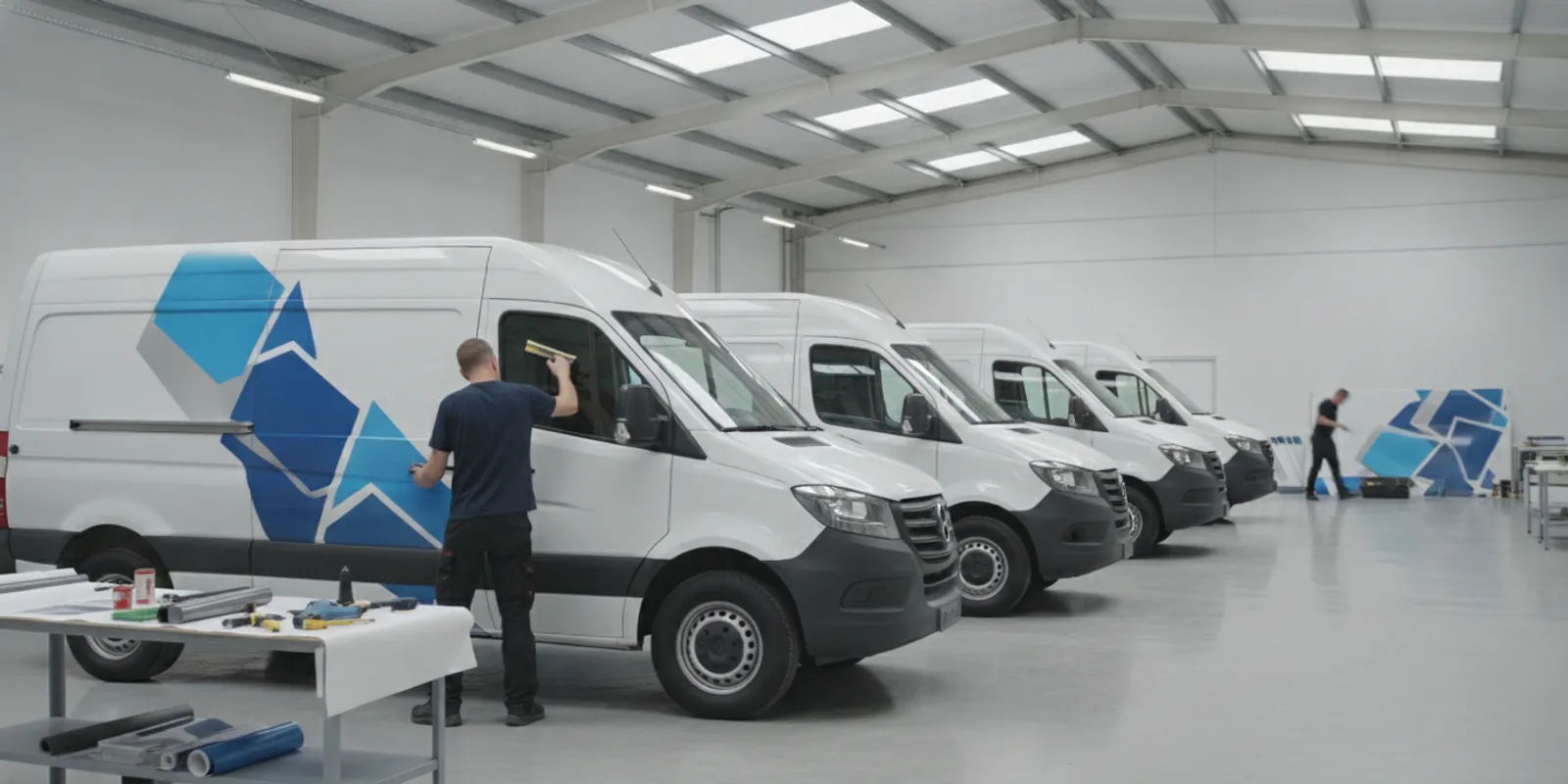
Vehicle staging is the practical link between the operations calendar and the installation crew. The goal is to make the next ready vehicle available without blocking the current work or disrupting normal fleet movements. The best sequence depends on the number and types of vehicles, the space available, and how the fleet is used.
| Staging approach | Useful when | Planning point |
|---|---|---|
| One vehicle at a time | Vehicles are essential to daily service or the site has limited space | Confirm each unit's return date before releasing the next one |
| Small rolling group | A few vehicles can be taken out of rotation together | Keep a buffer vehicle or route plan available while the group is away |
| Dedicated batch window | The fleet has a planned low-demand period and enough staging space | Check access, parking, vehicle order, and a realistic contingency window |
| Phased location rollout | Vehicles are spread across sites or regions | Coordinate local contacts, artwork versions, transport, and consistent handoffs |
Before choosing a batch size, ask how vehicles will move through the site. A vehicle may need to enter a work area, remain accessible during installation, and leave without moving another unit. Confirm who can move each vehicle, where keys will be held, where completed units can wait, and whether the installer needs a clear work zone. These details prevent avoidable waiting and last-minute reshuffling.
For multi-location work, set one point of contact at each site and one person responsible for the overall rollout. Give local contacts the same vehicle checklist and approved artwork reference. AP Installations describes work across the Pacific Northwest and nationwide markets; project scope and logistics should still be discussed for the locations in your plan. You can review its confirmed project location map as context for nationwide execution.
When vehicles cannot all leave service at once, divide the project into manageable phases. Start with a group that represents a useful test of the plan, but do not use a pilot as an excuse to leave the remainder vague. Confirm the process, schedule, artwork, inspection, and handoff criteria for every phase before the rollout starts.
A practical phase plan can prioritize vehicles in this order:
This approach can reveal a mismatch early. A vehicle type may need a different graphic layout, or the first group may show that the planned arrival sequence is impractical. Make any adjustment to the shared plan before the next phase is released. For examples of different commercial applications, browse the AP Installations project gallery.
Artwork approvals can hold up an installation even when vehicles and crew time are ready. To reduce that risk, identify the final decision-maker for the graphics, establish a version-control method, and approve layouts before booking the installation sequence. Keep a record of which design belongs to which vehicle type and fleet phase.
Reuse of a layout can simplify coordination when vehicles share the same model and configuration. Do not assume every unit is identical. Changes in body style, doors, windows, handles, equipment, or prior repairs can affect how a graphic fits and where it should be placed. Provide accurate vehicle details and ask the installer to confirm whether existing templates apply or whether any units need a separate review.
Where the fleet includes multiple vehicle types, group artwork approvals by type, not just by department or location. Label the approved files clearly and remove superseded versions from the handoff package. Before production or installation proceeds, confirm the intended version and vehicle list with the project contact. AP Installations focuses on installation and works with print partners, so align design and production handoffs with the parties responsible for each part of the project. Its graphics solutions overview provides context on the applications it installs.
Preparation reduces the chance that an appointment starts with missing information or an inaccessible vehicle. Confirm the exact arrival instructions, the site contact, parking location, work area, access hours, and any building or security requirements. Tell the installer about relevant site restrictions before the crew is scheduled.
For each vehicle, document its identifier and configuration. Note unusual body features, equipment, damage, or existing graphics that may affect the planned work. Agree on how the condition of each vehicle will be recorded and who will resolve questions before the application begins. If a unit is not ready, identify whether it should be held, rescheduled, or replaced in the sequence.
Keep the work area accessible and provide enough room for the agreed workflow. Ask the installer what environmental and surface conditions are needed for the selected material and application. Do not make assumptions based on one vehicle or one season; the product, substrate, and site can change the preparation requirements. AP Installations' guide to truck wrap installation offers related background for planning vehicle graphic work.
Fast handoff is useful only when everyone knows what “ready” means. Set the release procedure with the installer and fleet lead before the first appointment. Establish who checks the completed graphics, who documents the vehicle condition, who receives care or handling instructions, and who authorizes the unit to return to normal service.
Use a consistent handoff record for each vehicle. It can include the unit identifier, completion date and time, inspection notes, any items requiring follow-up, and the name of the person accepting the vehicle. Give drivers only the care and use instructions provided for the specific project. Do not improvise a waiting period or handling rule; ask the installer to state the applicable guidance for the materials and conditions used.
Include a clear escalation route. If the vehicle is complete but a question remains, the fleet contact should know whom to call and whether the unit should remain parked pending clarification. If the work is not complete in the expected window, the operations team should have a route or vehicle coverage adjustment ready. The purpose is to make decisions quickly without treating schedule pressure as a reason to skip review.
Reducing downtime does not mean asking a crew to rush or compress steps without reviewing the scope. Poorly coordinated work can create rework, extra vehicle visits, or inconsistent appearance across the fleet. Protect the schedule by resolving decisions early, keeping vehicles accessible, and making the handoff predictable.
Confirm in advance whether the project includes full wraps, partial graphics, lettering, or a combination. The coverage and vehicle shapes can influence how the work is sequenced. Ask what the proposed schedule assumes, what could change it, and how any revised timing will be communicated. If warranty requirements matter to your procurement or brand standards, confirm the applicable film, installation, and eligibility details directly rather than assuming all graphics have the same coverage. AP Installations explains its role as a 3M certified graphics installer and provides information about the 3M MCS Warranty.
Review fleet branding considerations when defining the visual scope, and identify the appropriate installation partner before locking dates. AP Installations has provided commercial graphics installation services since 2008 and works with print shops and design firms. For more about its installation focus, see AP Installations' company information.
A rollout schedule is more useful when it shows where vehicle time is going. Track the planned and actual times for arrival, work start, completion, inspection, and release. This is not about monitoring an installer minute by minute. It helps the fleet team see whether delays came from vehicle readiness, access, a scope change, or an operational decision, so the next phase can be planned with better information.
Use one row per vehicle or clearly defined group. Include its unit identifier, phase, assigned location, planned window, current status, and the person responsible for the next action. Keep notes factual and brief. For example, record that a vehicle arrived after its slot or that access was unavailable, rather than assigning blame. If an unexpected issue affects the schedule, confirm the revised plan with the project contact and the operations lead before changing downstream appointments.
Compare the phases for patterns. If the same type of unit consistently needs a different window, separate it in later scheduling. If vehicles are ready but cannot enter the work area, adjust arrival slots or staging. If approvals are holding work, resolve the artwork decision before the next group is released. Small adjustments between phases can protect service coverage more effectively than trying to recover all lost time at the end.
Do not treat the tracking sheet as a substitute for agreed project communication. Identify who can approve a schedule change, who informs dispatch, and how drivers or site contacts receive updated instructions. A simple, current schedule is better than multiple conflicting versions. Keep the final handoff record with the project file so operations can confirm which units have been accepted and which need follow-up.
Before the first vehicle is scheduled, confirm these points with the operations team and installer:
Keep the checklist with the project schedule and update it when a phase changes. A single shared record helps fleet operations, site contacts, and the installation team work from the same vehicle list and dates.
Request a fleet graphics project quote
There is no single duration for every vehicle. Timing depends on vehicle size and shape, the amount of graphic coverage, preparation, site conditions, and the agreed scope. Ask for a schedule based on your actual fleet and artwork. A general online estimate should not replace an installer’s review.
It depends on where vehicles operate, how they can be staged, and the resources available at each location. A central site may simplify coordination if vehicles can travel there without harming service coverage. A phased multi-location rollout may suit a distributed fleet, but it needs consistent artwork, local contacts, and a shared handoff process.
Choose a group size that leaves enough vehicles available for normal operations and gives the installer workable staging conditions. Start with each vehicle's role and availability, then confirm the proposed batch with the installer. A smaller, rolling group can be more practical than a large batch when space or coverage is limited.
Tell the project contact as soon as the issue is known. Use the agreed sequence to decide whether a ready vehicle can take its place, the affected unit should be moved to a later phase, or the schedule needs to change. Confirm any change to artwork, condition, or installation timing before work proceeds.
Fleet downtime is most manageable when operations planning and installation planning happen together. Confirm the vehicle sequence, artwork, site readiness, schedule assumptions, and return-to-service process before the first unit is taken out of service.