Franchise Graphics Rollout Checklist for Rebrands and New Locations
A franchise graphics rollout checklist keeps a rebrand or new-location opening from becoming a chain of avoidable surprises. Operations managers and brand directors need every storefront, window, wall, floor, promotional panel, and photo closeout to follow one standard, even when locations vary by market, footprint, and site condition. The checklist below turns that complexity into a repeatable workflow.
Planning a multi-location graphics rollout? Review AP Installations’ vinyl graphics installation solutions to coordinate surveys, production handoffs, field installation, and final verification.
Unlike a general signage checklist, this guide focuses on installation readiness. It is built for teams coordinating vinyl graphics across franchise or retail sites where artwork consistency, reliable field information, material handling, sequencing, and closeout documentation directly affect rework. For a broader look at retail graphic types and use cases, see AP Installations’ complete guide to retail graphics.
What should a franchise graphics rollout checklist cover?
A useful franchise graphics rollout checklist should answer six operational questions before the first production file is released:
- Which graphic assets are approved, version controlled, and assigned to each location type?
- What field measurements, substrate notes, photos, and access details are required from each site?
- How will design, print production, shipping, and installation teams hand work from one stage to the next?
- Which locations install first, and what dependencies can delay a wave?
- What photo evidence and punch-list rules confirm completion?
- Who owns escalations when field conditions do not match the plan?
When those decisions live in scattered emails or memory, each site becomes its own custom project. When they live in a shared checklist, the rollout becomes easier to quote, schedule, audit, and repeat.
1. Standardize the rollout scope before locations are released
Start by defining the visual package, not by scheduling installers. Rebrands and franchise openings often involve multiple graphic families: exterior window vinyl, hours decals, wall murals, floor graphics, ADA or directional elements, point-of-purchase pieces, temporary launch graphics, and fleet or service-area identifiers. A single site may use only part of the package, but the program needs one master logic.
Build a location matrix
Create a matrix that maps every location to its graphic package. Useful columns include:
- Location ID, address, market, and franchise owner or site contact
- Store type, prototype, square footage tier, or remodel category
- Required graphic families and quantity assumptions
- Open date, blackout dates, operating hours, and installation window
- Survey status, artwork status, production status, shipping status, and installation status
This matrix prevents teams from treating a flagship remodel and a smaller inline location as if they need identical graphics. It also gives leadership one source for tracking the rollout without chasing status by email.
Freeze the brand asset kit
Each rollout needs a controlled asset kit that specifies approved logos, colors, patterns, placement rules, file naming conventions, and production tolerances. If local operators can request custom variations, document the approval path. If they cannot, state that clearly. Consistency fails fastest when alternate logo files or outdated promotional copy move into production unchecked.
The asset kit should also identify which items are location-specific. Store hours, suite numbers, local permit language, regional promotions, or dimensional adjustments may vary. Everything else should be standardized so the installation team is executing a known program, not interpreting brand rules on site.
2. Run site surveys that production and installation teams can actually use
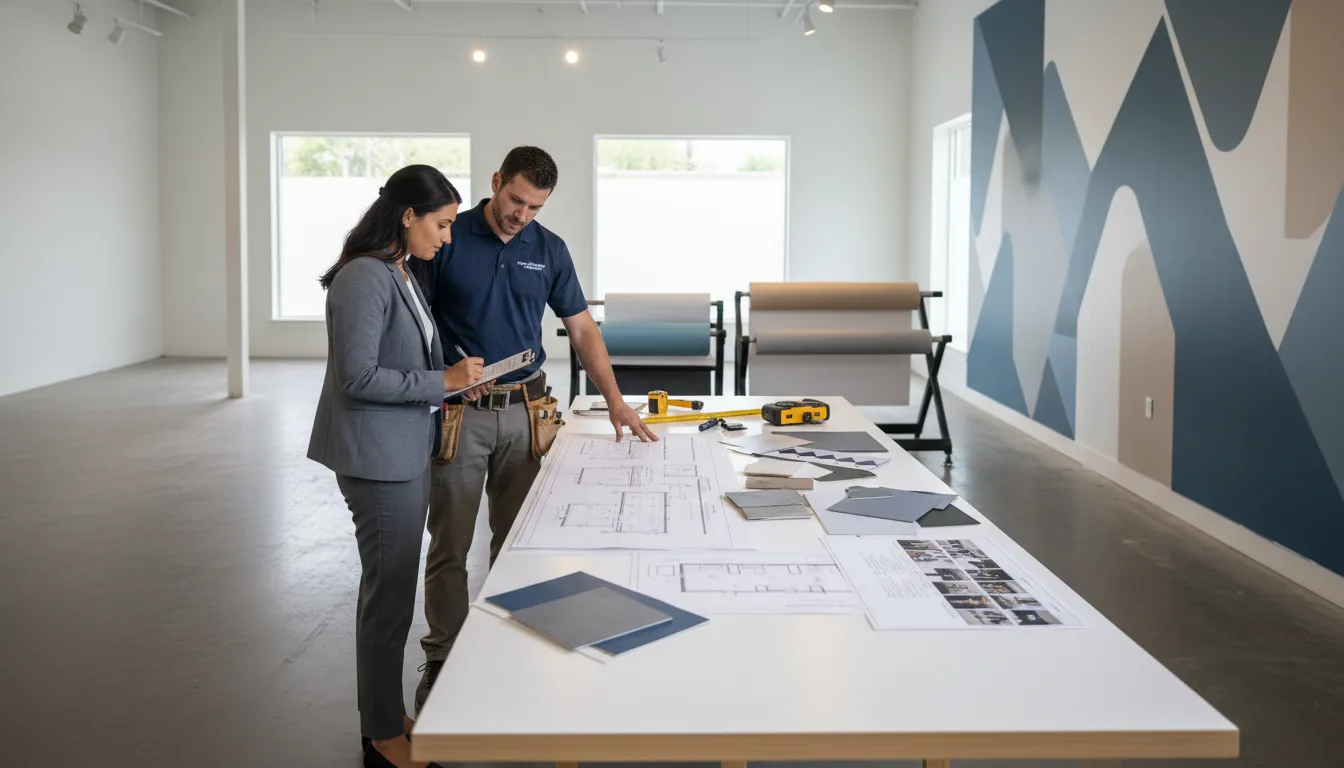
A rollout plan built on rough measurements is a rework plan. Site surveys convert the creative package into installable graphics by documenting actual field conditions. They are especially important across franchise systems because two locations with the same prototype can still have different glass layouts, wall textures, power-washed storefronts, repaired drywall, access restrictions, or landlord rules.
Capture survey data by graphic surface
For every install surface, the survey package should record:
- Width, height, obstructions, seams, mullions, outlets, fixtures, and sightlines
- Surface material and condition, such as painted drywall, glass, tile, concrete, or textured panels
- Environmental notes, including direct sun, exterior exposure, cleaning schedules, and high-traffic contact points
- Access details, including ladders or lifts, loading routes, security check-in, mall access, and after-hours requirements
- Clear straight-on photos plus context photos that show the surrounding area
Do not rely on one wide photo with no dimensions. Production needs precise information to size panels and plan seams. Installers need enough context to estimate labor, tools, prep requirements, and risk.
Use survey exceptions to catch risk early
Flag anything that could change production or scheduling: freshly painted walls that may need cure time, glass with old adhesive residue, uneven masonry, ongoing construction, uncertain power availability, blocked access, or local site managers who cannot approve after-hours work. An exception log gives the operations team a clean decision list before graphics are printed and shipped.
3. Translate approved assets into a production-ready handoff
Once survey data is approved, the job moves from concept to release. The production handoff should connect each graphic file to the exact location, surface, dimensions, material expectation, and install intent. This step sounds administrative, but it is where many rollout errors begin.
Include these items in the production packet
- Final approved artwork with version date and approval owner
- Location-specific size schedule tied to the survey record
- Material specification and finishing notes
- Panel maps, seam guidance, orientation notes, and placement elevations where needed
- Packaging labels that match the store ID and install phase
- Quality-control checkpoint before shipment
Graphics should arrive at the field team in a way that makes the correct choice obvious. A box labeled only “window graphics” is not enough for a multi-site program. A shipment labeled by rollout wave, store ID, room or elevation, graphic type, and installation sequence reduces opening delays and misapplied assets.
If your design or print team needs a field partner, AP Installations can support certified installation execution without replacing the creative or production relationships already in place.
4. Sequence franchise rollouts by dependencies, not just geography
Geographic batching can reduce travel and simplify routing, but it should not be the only sequencing rule. The best rollout schedule accounts for readiness. A nearby store with missing survey approvals may be less efficient than a farther location with complete files, delivered graphics, confirmed access, and an opening deadline.
Group locations into installation waves
A practical wave plan can include:
- Pilot wave: One to three locations used to test the asset kit, production labels, field checklist, photo closeout, and escalation process.
- Priority wave: Openings, grand reopenings, flagship sites, or executive-facing locations with fixed dates.
- Regional waves: Ready locations organized to reduce mobilization time while preserving installation quality.
- Exception wave: Sites waiting on construction, landlord approval, special materials, or corrective survey work.
The pilot matters. It exposes unclear instructions before the same mistake reaches dozens of stores. If a window decal needs a revised placement rule or a wall panel requires a different field notation, the time to discover that is at site one, not site thirty.
Set go or no-go gates
Before each location enters an install wave, confirm that the following gates are complete:
- Survey approved
- Artwork approved
- Production complete or released to ship
- Site contact confirmed
- Access window confirmed
- Special tools, lift needs, or safety requirements documented
- Closeout photo list defined
A schedule without readiness gates creates wasted truck rolls. A checklist with gates protects the brand team, the installer, and the franchisee from avoidable rescheduling.
5. Prepare installers with one clear field packet
Installers should arrive with the information required to execute, document, and escalate, not with a folder of disconnected drawings. A clear field packet reduces interpretation and keeps each location aligned with the rollout standard.
Field packet checklist
- Store ID, address, site contact, access timing, and arrival instructions
- Scope by surface, including graphic name, final size, and placement reference
- Survey photos and marked-up placement images
- Special surface preparation notes or known exceptions
- Approved visual reference for final appearance
- Required completion photos and naming convention
- Escalation contact and decision threshold for field changes
For example, an installer should know whether a small substrate irregularity is within tolerance, whether a wall graphic can shift to avoid a fixture, or whether work must pause until a brand director approves a revised placement. That clarity matters because field crews often work outside the same hours as corporate stakeholders.
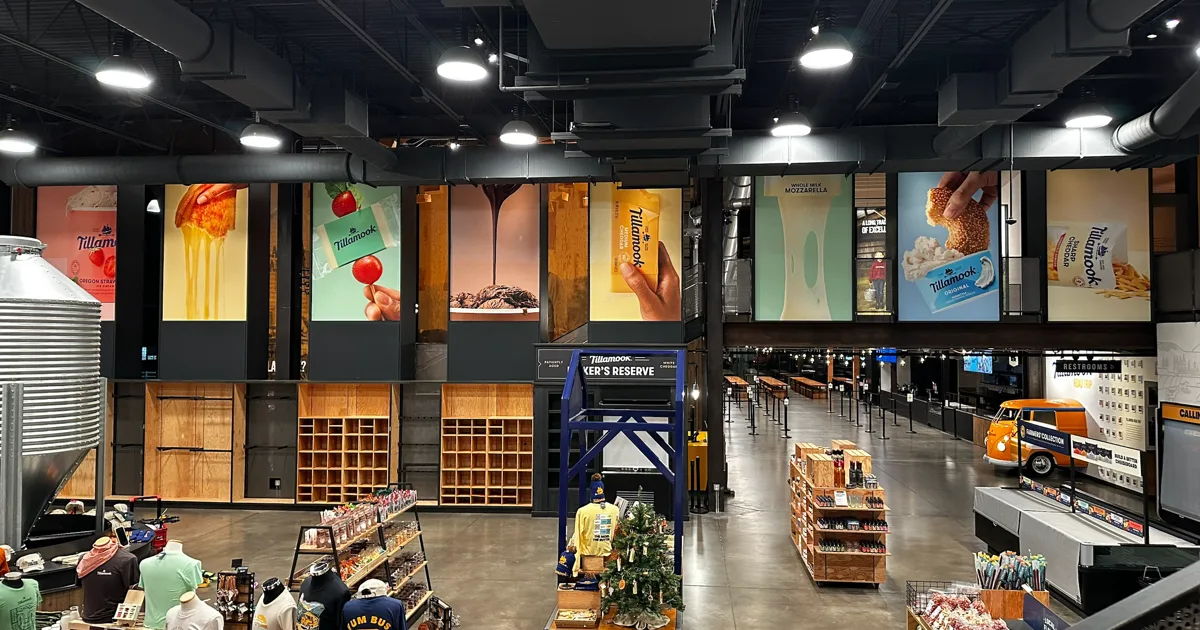
AP Installations’ project portfolio shows the variety of surfaces and branded environments that professional vinyl graphics installation can involve. A repeatable packet helps that field experience translate across a multi-location program.
6. Use photo verification as an operational control
Photo verification is not a nice-to-have scrapbook. It is the fastest way to confirm brand compliance, document condition at completion, close franchisee questions, and resolve issues without revisiting every store. For nationwide or multi-market rollouts, it is part of the operating system.
Require a predictable photo set
Define the exact images needed for each surface:
- Wide establishing shot showing the graphic in its environment
- Straight-on finished view
- Close-up detail where seams, edges, alignment, or corners matter
- Before photo when removal, replacement, or surface correction occurred
- Exception photo with a short note if the field condition changed the planned result
Use file names that map to the location matrix and surface ID. A closeout archive named “IMG_4782” cannot support program-level review. A filename tied to region, store ID, room, surface, and completion date can.
Create a punch-list path
Not every issue means the rollout failed. A small touch-up, missing panel, packaging problem, incorrect field measurement, or access issue may require a punch list. Define how issues are categorized, who approves corrective action, how quickly photos are reviewed, and when a location moves from “installed” to “accepted.”
7. Where does a certified installation partner reduce rework?
A certified installation partner reduces rework by helping teams catch execution risks before, during, and after production. AP Installations is a 3M Certified vinyl graphics installation specialist, serving brand teams, print partners, and operations leaders that need professional field execution for commercial graphic programs. That matters when graphics must look consistent from one location to the next and when failed installs can affect launch timelines.
In a rollout checklist, installer involvement creates value at several stages:
- Survey definition: Installers know which surface notes, measurements, access details, and photos will affect labor and material decisions.
- Production review: Field perspective can catch risky paneling, unrealistic placement assumptions, or packaging choices that complicate the install.
- Scheduling realism: Install durations, access constraints, site prep, and travel requirements are easier to forecast with installation input.
- Consistent execution: A skilled installation team applies the same finishing expectations across locations instead of making site-by-site judgment calls.
- Closeout documentation: Photo verification and punch lists become part of the workflow, not an afterthought.
For brand directors, that protects visual consistency. For operations managers, it protects schedules. For print partners, it reduces disputes caused by unclear field conditions or missing installation documentation.
Need a rollout partner that can bridge survey detail and final install quality? Explore AP Installations’ graphics installation solutions and start the project conversation early.
Franchise graphics rollout checklist by phase
Use this phased checklist to turn the workflow into a practical planning document.
| Phase | Checklist items | Primary owner |
|---|---|---|
| Program setup | Confirm rollout goals, asset kit, location matrix, approval owners, and project communication cadence. | Brand and operations |
| Survey | Collect measurements, substrate conditions, access notes, environmental risks, and placement photos for each surface. | Survey or installation team |
| Artwork release | Match approved artwork to survey dimensions, store IDs, placement maps, and version control. | Brand and production |
| Production | Finalize material specs, QC, packaging labels, shipping schedule, and any site-specific exceptions. | Print production |
| Install readiness | Confirm site contact, access window, shipped materials, field packet, lift or tool needs, and escalation path. | Operations and installer |
| Installation | Execute scope, protect surfaces, follow placement references, and flag deviations before improvising. | Installation team |
| Closeout | Upload required photos, document exceptions, complete punch list, and mark the location accepted. | Installer and program lead |
Common mistakes that disrupt rebrands and new-location graphics
Even strong teams lose time when a rollout skips foundational controls. Watch for these mistakes:
- Artwork drift: Local versions, old logos, or unapproved copy enter production.
- Survey shortcuts: Teams use prototype drawings when field conditions need actual measurements and photos.
- Weak packaging logic: Boxes arrive without store or surface identification, slowing installs and raising error risk.
- Scheduling before readiness: Install dates are booked before approvals, site access, or graphics delivery are confirmed.
- No escalation policy: Field teams either guess or stop work for decisions that should have been defined in advance.
- Incomplete closeout: The project is declared finished without a consistent photo archive or acceptance path.
Each mistake is preventable with a checklist that treats graphics as an operational program rather than a one-off decoration task.
How to turn the checklist into a repeatable rollout process
The best franchise graphics rollout checklist becomes a template for every future remodel, rebrand, seasonal campaign, and new store opening. After the pilot wave, hold a brief review with brand, production, installation, and operations stakeholders. Ask what caused confusion, which site data was missing, what delayed approvals, and which photo evidence made sign-off easier.
Then update the checklist before the next wave. Add a field if it prevents a recurring email. Remove a step if it never influences decisions. Clarify any installation tolerance that was interpreted differently in the field. Rollout maturity comes from revising the process while experience is still fresh.
A certified installation partner is especially useful here because the team sees recurring field patterns across locations. That feedback can improve surveys, production labels, field packets, and closeout standards before those small issues multiply.
Frequently Asked Questions
How many sites need surveys before ordering franchise graphics?
Survey every location that will receive site-specific graphics, dimensional graphics, or graphics installed on surfaces that may vary by store. Prototype drawings help with planning, but ordering should follow confirmed field measurements, photos, access notes, and substrate details for each active site.
What photo evidence is required at graphics rollout closeout?
Require a wide finished view, a straight-on finished view, detail photos for seams or edges when relevant, before photos for removals or replacements, and an exception photo with notes when field conditions change the planned result. File names should connect each image to the market, store ID, surface, and completion date.
How do we handle field conditions that do not match the survey?
Pause the affected portion of the work, document the mismatch with photos and dimensions, and route it through the named escalation contact. The rollout packet should define which minor placement adjustments installers can make and which changes need brand, operations, or production approval.
When should a rollout use a pilot wave?
Use a pilot wave before a large rebrand, a new prototype launch, or any program with unfamiliar surfaces, packaging logic, or closeout requirements. One to three pilot locations can reveal unclear survey fields, install tolerances, labeling gaps, and photo verification needs before the same issue spreads across dozens of sites.
Why involve an installation partner before production release?
Early installer input improves survey requirements, material handling assumptions, sequencing, access planning, and packaging labels. That field perspective helps the production packet arrive ready for installation instead of forcing crews to solve preventable questions on site.
Start with clarity before the first graphics ship
Franchise graphics rollouts are easier to manage when every location follows the same logic: standardized assets, complete surveys, disciplined production handoffs, readiness-based sequencing, installer-ready field packets, and photo-backed closeout. That workflow helps rebrands launch cleaner and new locations open with a consistent brand experience.
If your next program spans several sites or several markets, bring installation planning into the process before release. AP Installations supports commercial vinyl graphics projects where accuracy, consistency, and dependable execution matter. Review the available installation solutions, contact the AP Installations team, or explore completed graphics projects to see how complex branded environments come together.